
Check your authorisation
Before you start, make sure your nonprofit is authorised to issue tax receipts.


We use cookies 🍪 to understand how CotizUp is used, improve your experience and offer you tailored content.
CotizUp centralises tax receipt management for authorised nonprofits and donors, from a secure account area.

A tax receipt is a document issued by the nonprofit that receives your donation, separate from a payment receipt. It records, among other things, your identity, the donation date and the amount donated.
You can keep it to declare your donation and, if the tax conditions are met, claim the corresponding tax relief. Issuing it depends on the nonprofit and donation meeting the applicable conditions, as well as the required donor information being complete.
If you represent a nonprofit, you remain responsible for your authorisation and for the receipts you issue. CotizUp helps you manage, find and share them with your donors.
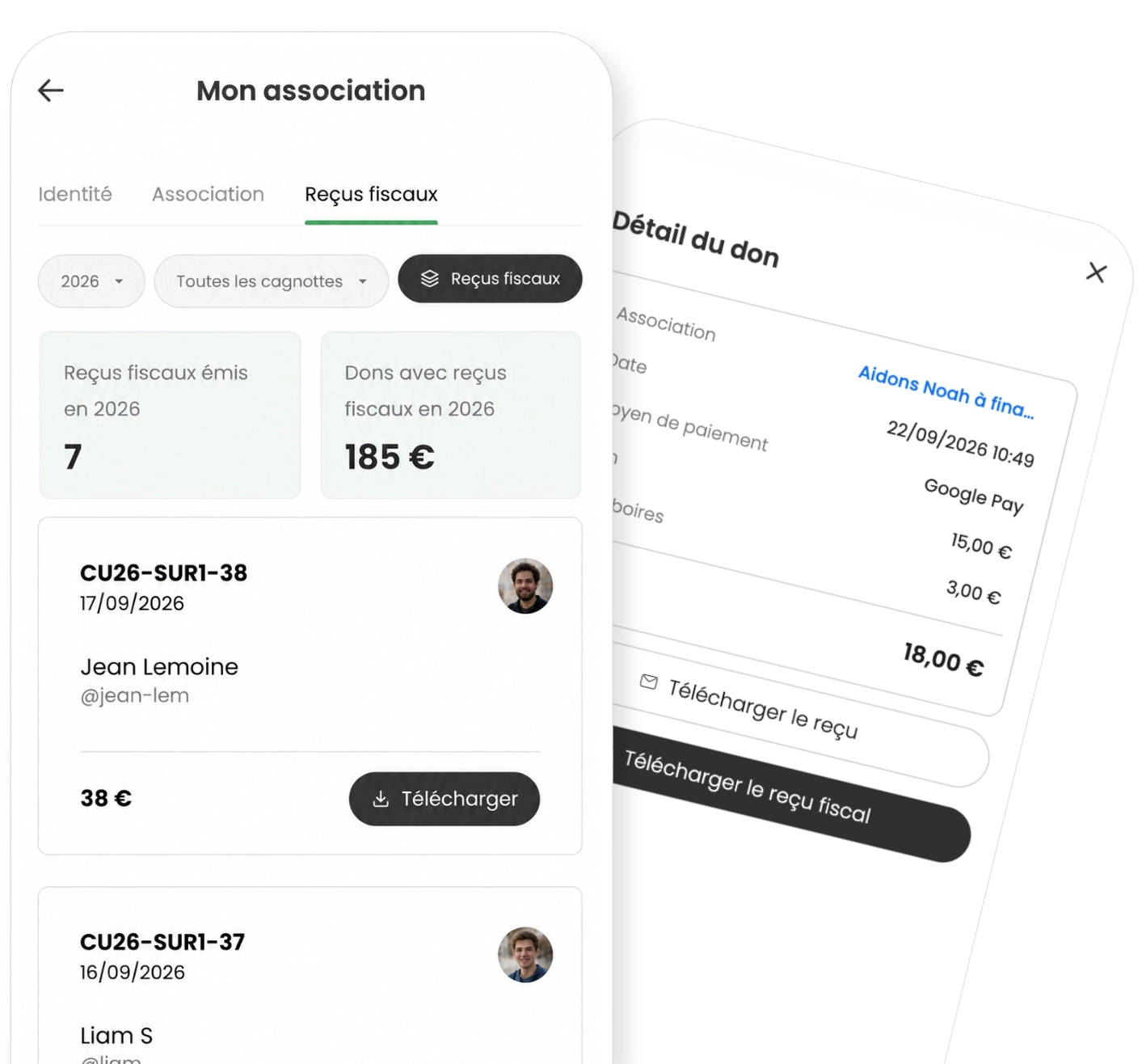
Before you start, make sure your nonprofit is authorised to issue tax receipts.
When the option is available on your account, enable tax receipts in Association and complete your declaration.
For eligible donations with complete donor information, the nonprofit's tax receipts are issued automatically.
The Tax receipts tab lets you track documents by year and request the annual archive for your own checks.
Choose a nonprofit that can issue tax receipts for your donation.
Make a donation, with no benefit in return, to the nonprofit you want to support.
Complete your identity details and address from your account. This information is needed to issue your tax receipt.
Find your tax receipt in the details of your donations and keep it for your tax records.
"CotizUp is one of the best things out there. A trusted public-interest organization and an exceptional humanitarian tool that benefits both donors and beneficiaries. Thanks to the whole team."
The essential points for understanding, issuing and keeping a tax receipt.
A donation may qualify for a tax receipt if the nonprofit is eligible to issue one and the payment meets the applicable conditions, including no substantial benefit in return. Optional support paid to CotizUp is not part of the amount certified by the nonprofit.
If your donation is eligible, complete your identity details and address in your account. Once the conditions are met, the nonprofit issues the receipt, which you can then download from the donation details under My donations. The payment receipt is a separate document.
If the option is available in Association, enable it and complete the declaration. Your nonprofit must first check that it can issue tax receipts: enabling the feature on CotizUp is not approval from the French tax authority. Read the conditions explained by the French tax authority.
Not every donation qualifies for a tax receipt. For eligible donations, the donor's information must also be complete, including their address. Ask the donors concerned to sign in and complete their information: the corresponding receipts will then be issued automatically and appear in your table.
In the Tax receipts tab, select the year and request the archive of issued receipts. When it is ready, you receive an e-mail with a link to download it.
Create a fundraising in minutes and give your community a simple way to act together.


